01 / 04
Convert by describing it
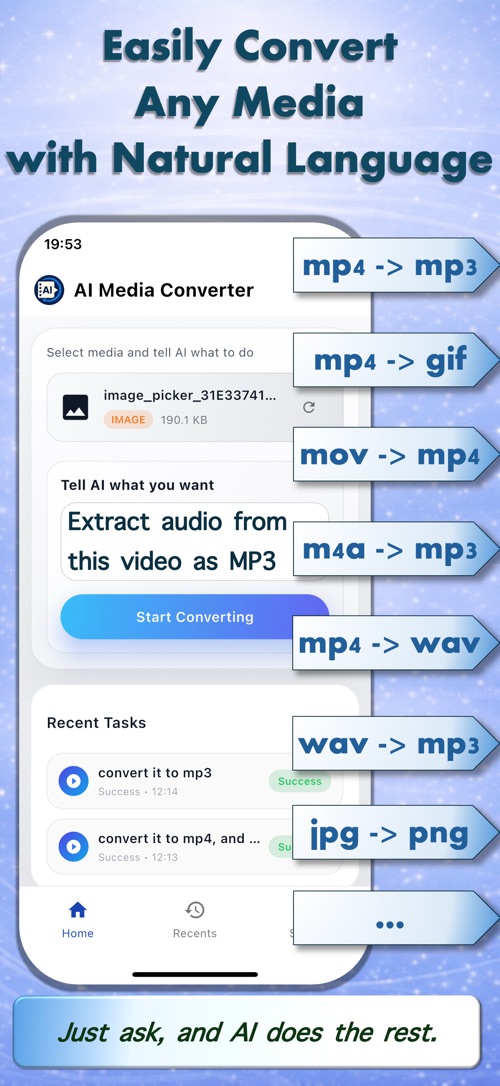
Pick a file and type what you want in plain language — “extract the audio from this video as MP3”. The AI agent works out the format, codec and settings.

XCELL Tech product · iOS app
Describe your task. The AI agent handles it.
Feature tour
Codecs, bitrates, containers and resolutions are the reason most media conversions fail. AI Media Converter removes that layer: describe the result you want in ordinary language — “convert this to a high-quality MP3”, “compress this video for messaging apps”, “make a GIF for social media” — and the AI agent works out the conversion parameters.
The conversion pipeline is visible while it runs, and if a job fails the agent analyses the error and retries with a better strategy instead of handing you a cryptic message. Media processing itself runs locally on your device.
01 / 04
Pick a file and type what you want in plain language — “extract the audio from this video as MP3”. The AI agent works out the format, codec and settings.
02 / 04
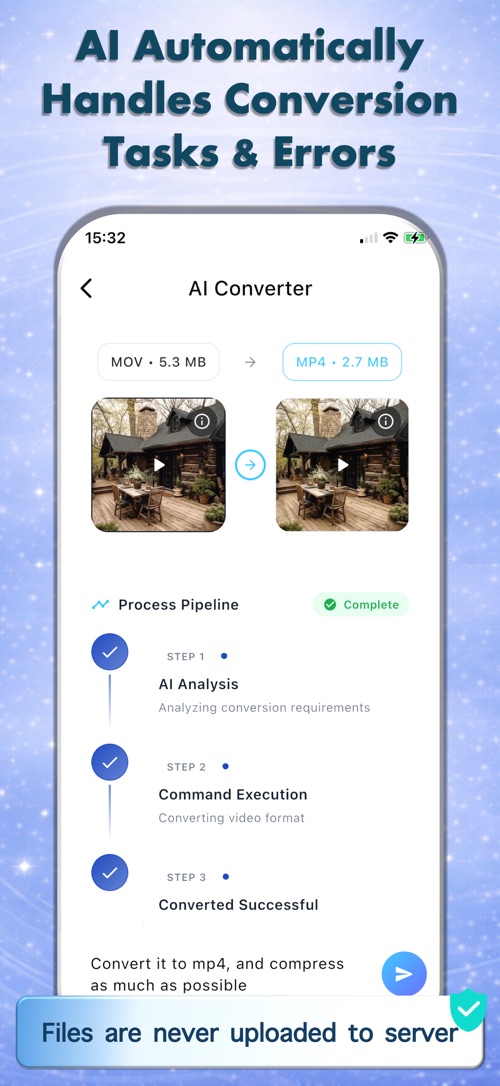
Every job runs through a visible pipeline: AI analysis, command execution, result. If a conversion fails, the agent reads the error and retries with a better strategy.
03 / 04
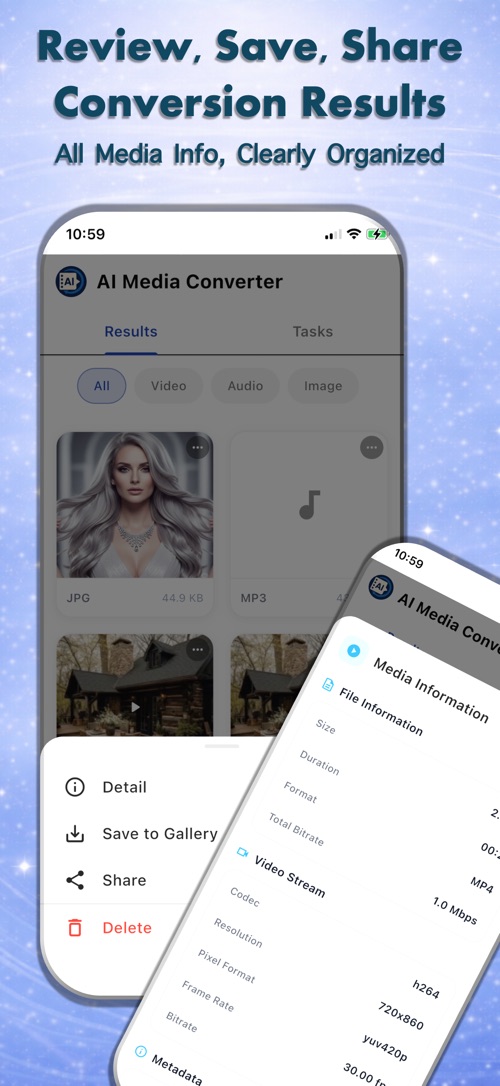
Finished files are organised in one place with full media information — format, resolution, bitrate, duration — so you can confirm the result before sending it on.
04 / 04
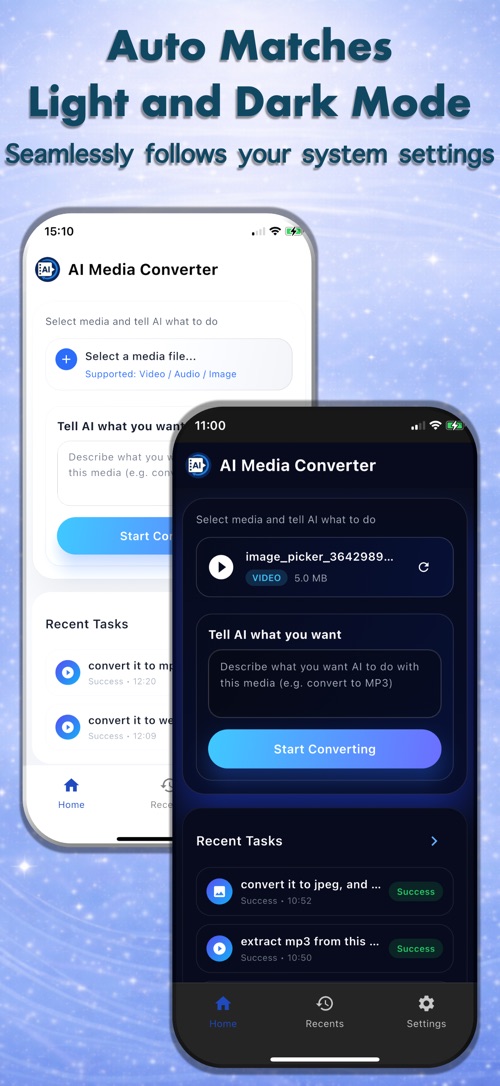
The interface follows your system appearance, so the app looks right at midday on site and at midnight on the sofa.
Questions about AI Media Converter, a bug to report or a data request — one address reaches us, and we reply within two business days.
Published policies: Privacy Policy · Terms of Service · questions to service@oxcellion.com.