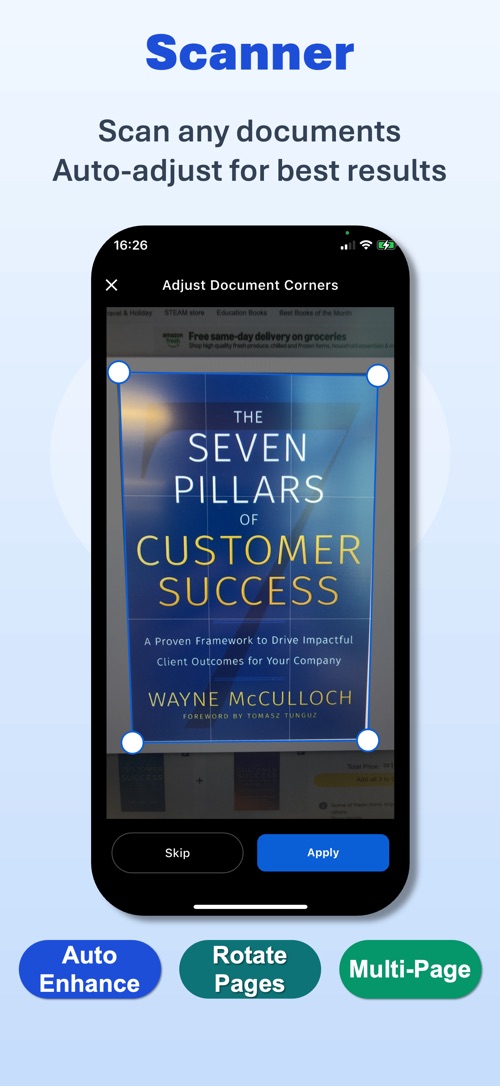
01 / 08
Scan any document
Point the camera at a contract, a receipt or a page of notes. PDF Maker finds the edges, corrects the angle and enhances the capture into a sharp, professional PDF page.
XCELL Tech product · iOS app
Your all-in-one professional document toolkit.
Feature tour
PDF Maker turns an iPhone or iPad into a complete document workstation. Capture a stack of paper with the camera and get a clean, professional PDF; convert images and Office files into PDF; export a PDF back out to Word, Excel, PowerPoint, HTML or plain text.
Every operation — scanning, conversion, merging, splitting, compression and annotation — runs on the device itself, so the app keeps working without a network connection and your documents never need to leave your phone.
01 / 08
Point the camera at a contract, a receipt or a page of notes. PDF Maker finds the edges, corrects the angle and enhances the capture into a sharp, professional PDF page.
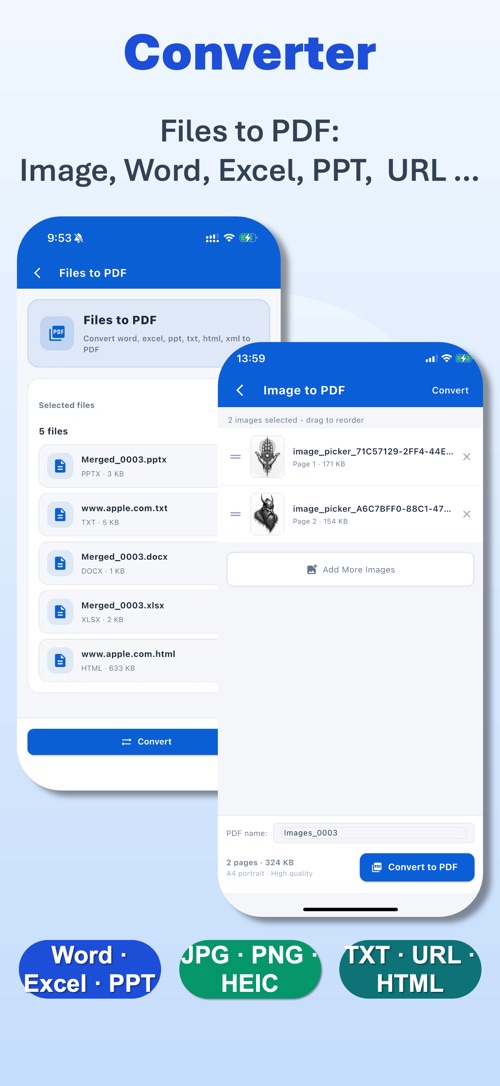
02 / 08
Images, Word, Excel and PowerPoint documents, TXT files, HTML and entire web pages convert into clean PDFs — one file at a time or a whole batch.
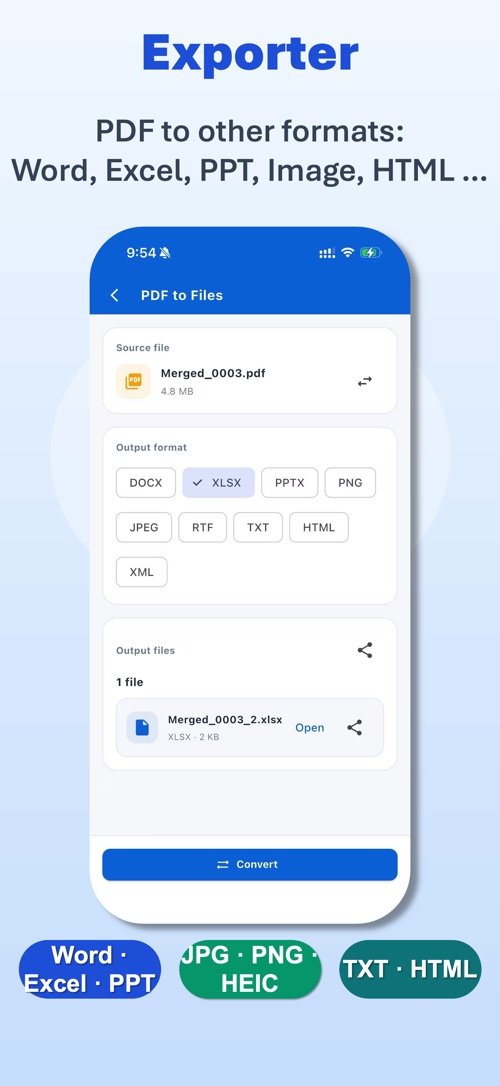
03 / 08
Need to edit again? Send a PDF back to Word, Excel, PowerPoint, an image, HTML or plain text without ever leaving the app.
04 / 08
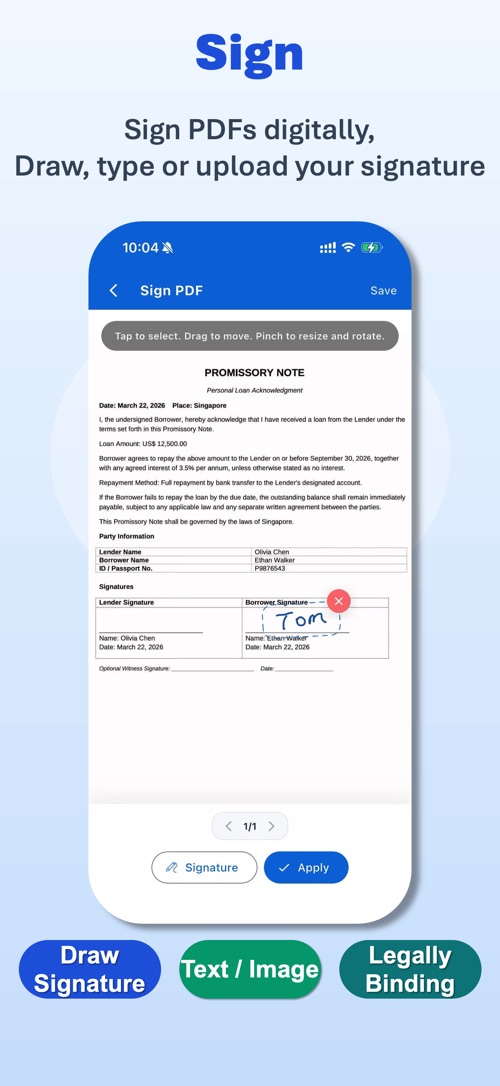
Draw a signature, type one, or upload an image of your own, place it exactly where it belongs, and save the signed copy.
05 / 08
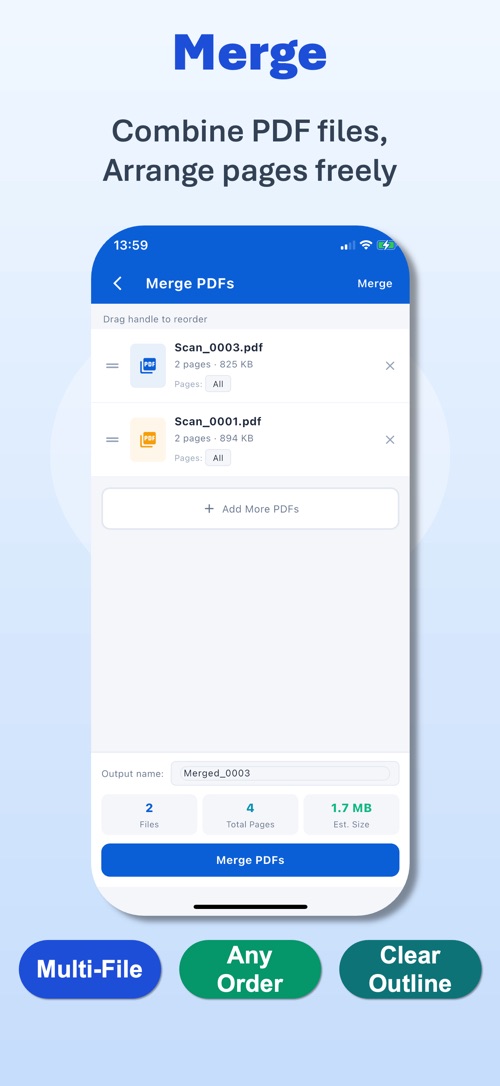
Combine any number of PDFs into a single file, arrange the pages in the order you want, and keep everything related together.
06 / 08
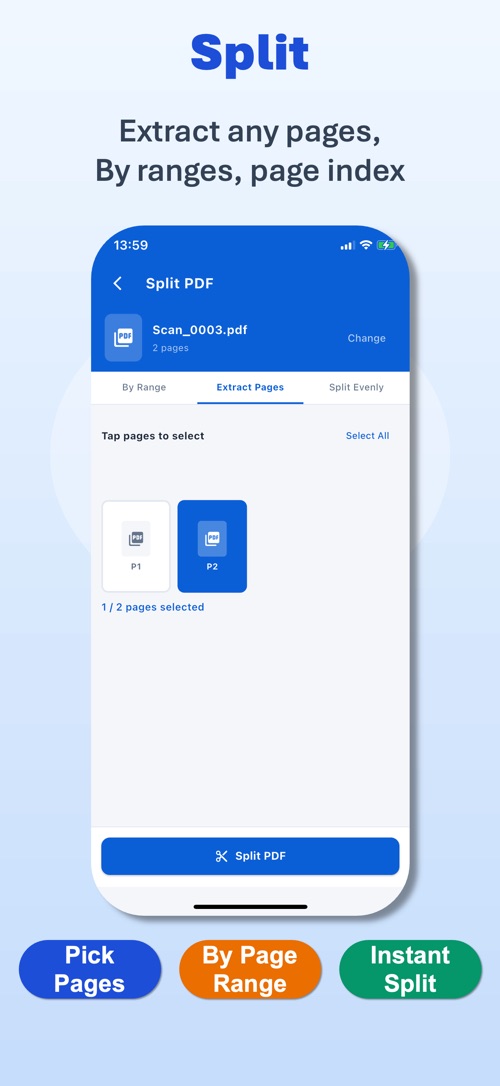
Pull out a single page, a range, or a hand-picked selection into a new PDF, so you only ever share what is relevant.
07 / 08
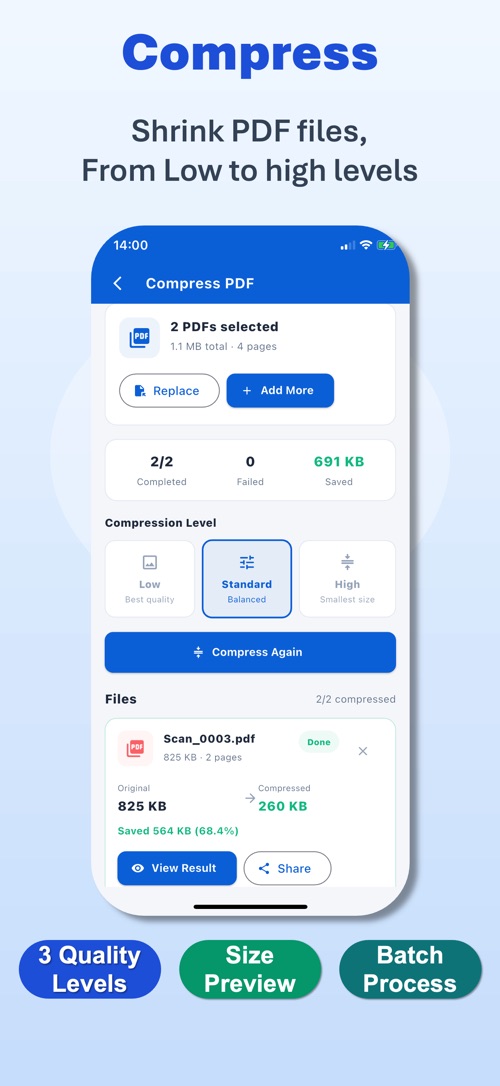
Three optimization levels with the resulting size previewed before you commit — so email attachments and uploads go through the first time.
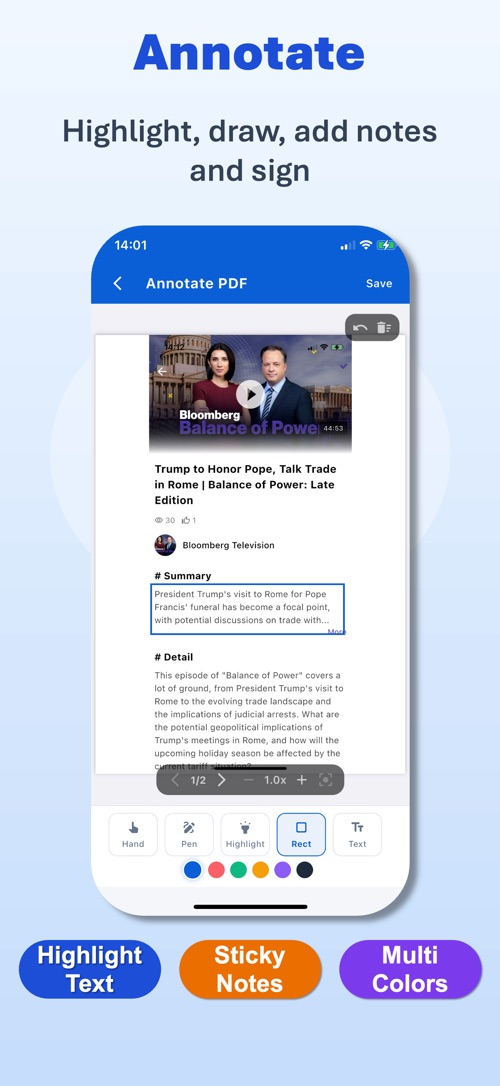
08 / 08
Highlight text, draw freehand, drop sticky notes and add text boxes, then send the marked-up copy straight back to whoever sent it.
Questions about PDF Maker, a bug to report or a data request — one address reaches us, and we reply within two business days.
Published policies: Privacy Policy · Terms of Service · questions to service@oxcellion.com.